Votre panier est vide
Here you will find how to view and manage your subscription orders
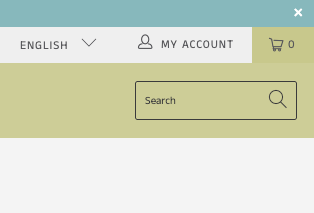
To view your orders and to manage your subscription, click "My Account" in the top right corner.
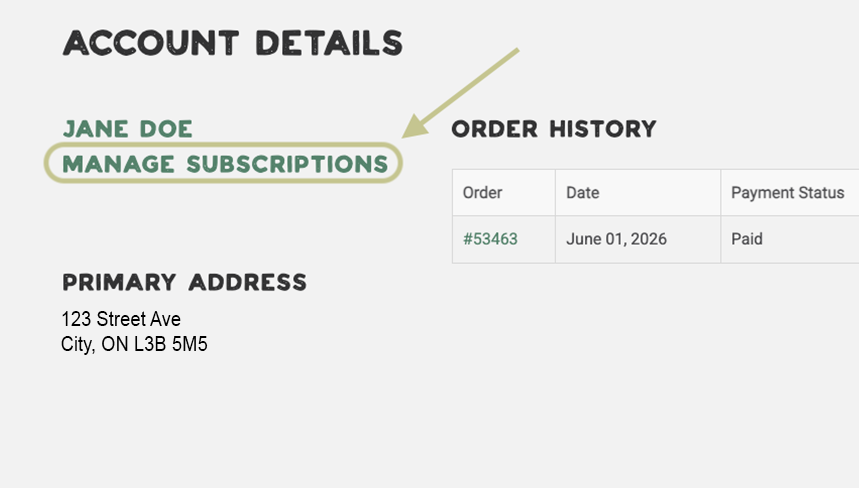
You will then see this page. To view your subscription, click "Manage Subscriptions".
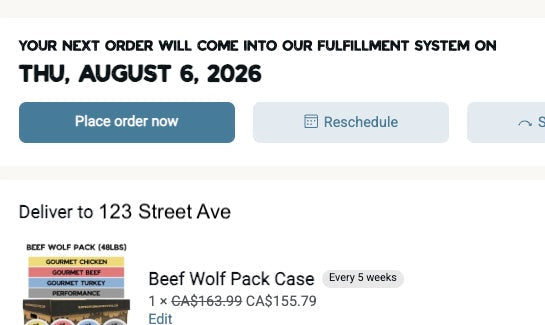
Here you will see the status of your most recent order as well as the date your next subscription order will come into our system.
NOTE: This date is not the date of your next delivery. This is the date your account will be charged and the order comes into our system.
On this page, you can "Send Now", "Reschedule" and "Skip" your next order.
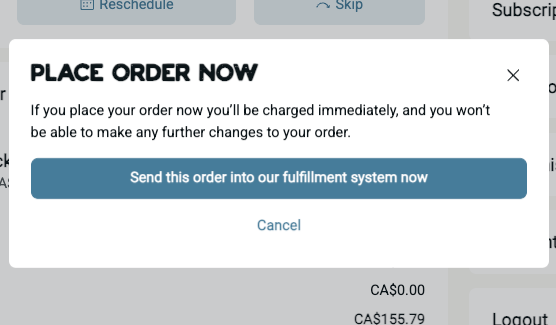
If you want your subscription to renew your next order ahead of your next scheduled order date, you can click "Send Now". This will charge your card immediately and the order will show up in our system to be fulfilled and delivered at the next delivery date for your area.
NOTE: This will not result in your order being delivered on a different day of the week than the week day we normally deliver to your address. ( e.i. if you receive deliveries on Wednesdays and you click "send now" for your order on a Sunday, your order will be delivered on Wednesday).
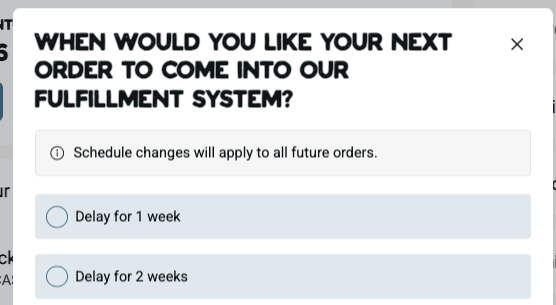
You can reschedule the date your next order will be sent into our fulfillment system. You can move the order date sooner or delay it longer.
NOTE: This date is not the date of your next delivery. This is the date your account will be charged and the order comes into our system.
If you delay your order by 1 week, and you have a subscription frequency of 3 weeks, the next order will renew 3 weeks from your new rescheduled date.
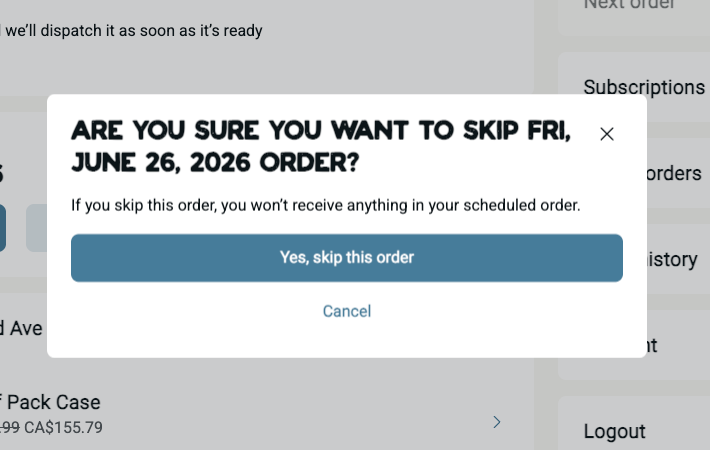
If you do not want to reschedule and want to skip an order, click "skip".
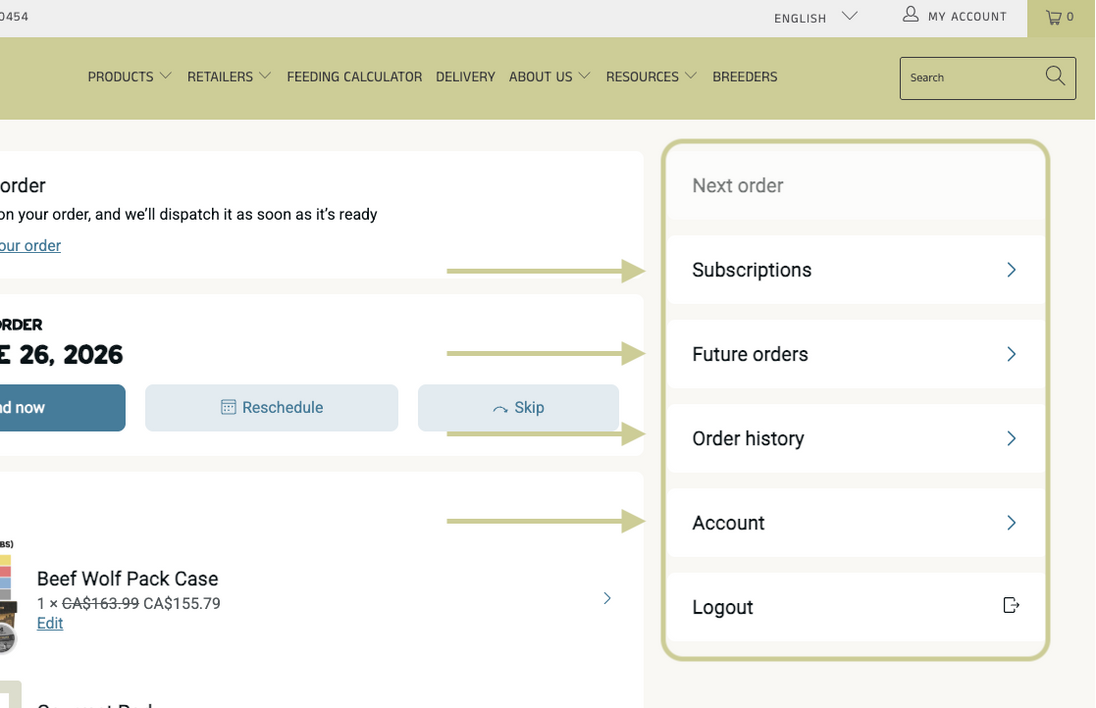
The menu on the right allows you to also view your active and inactive subscriptions, future orders, past orders and your subscription account.
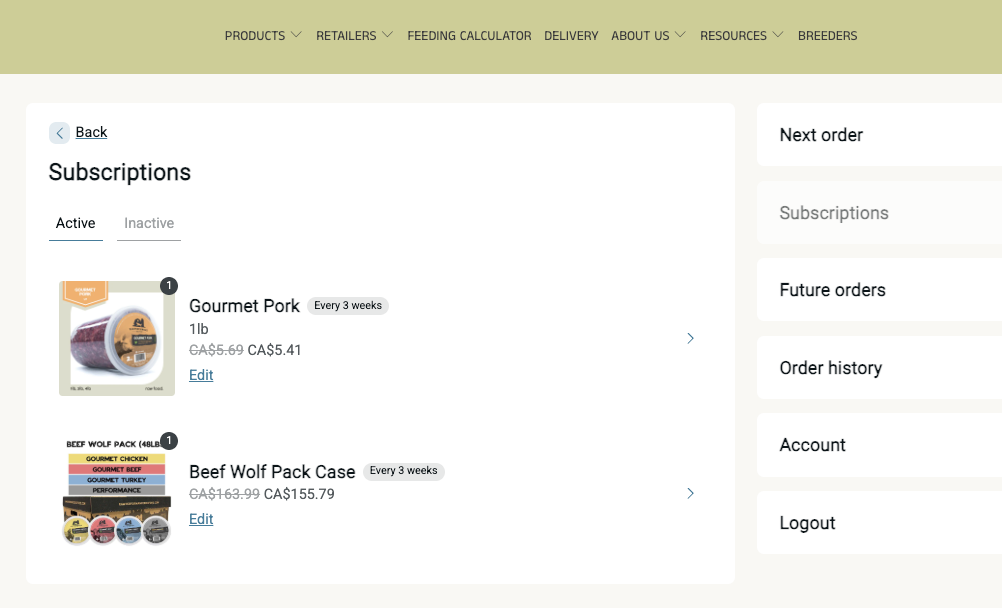
Here you can see what items you have an active subscription for. To make changes to a specific product such as change the size of container, quantity, frequency or to remove it from your subscription you can do so by clicking on the product you wish to edit.
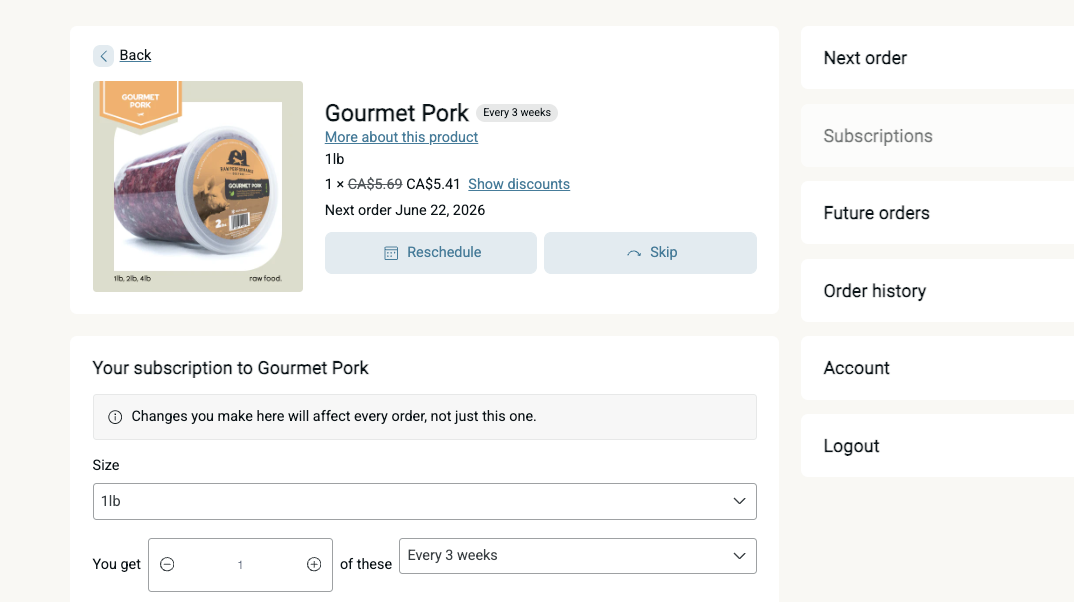
After you click on the product, you will now be able to make changes to this specific product in your subscription. You can change the size of the tub, change the quantity, change the frequency, reschedule, skip or remove the product from your subscription
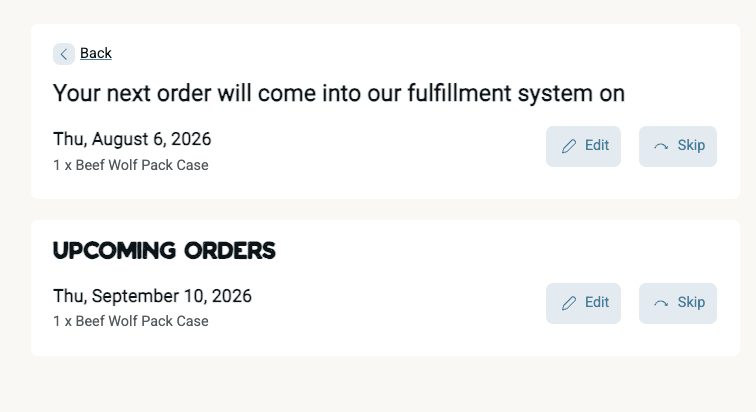
On the "Future Orders" tab, you will see when your next order will be created and the next 3 orders after.
NOTE: These dates are when your subscription will renew the order. These are not the days you will receive your order. Orders will be renewed a few days before your delivery date.
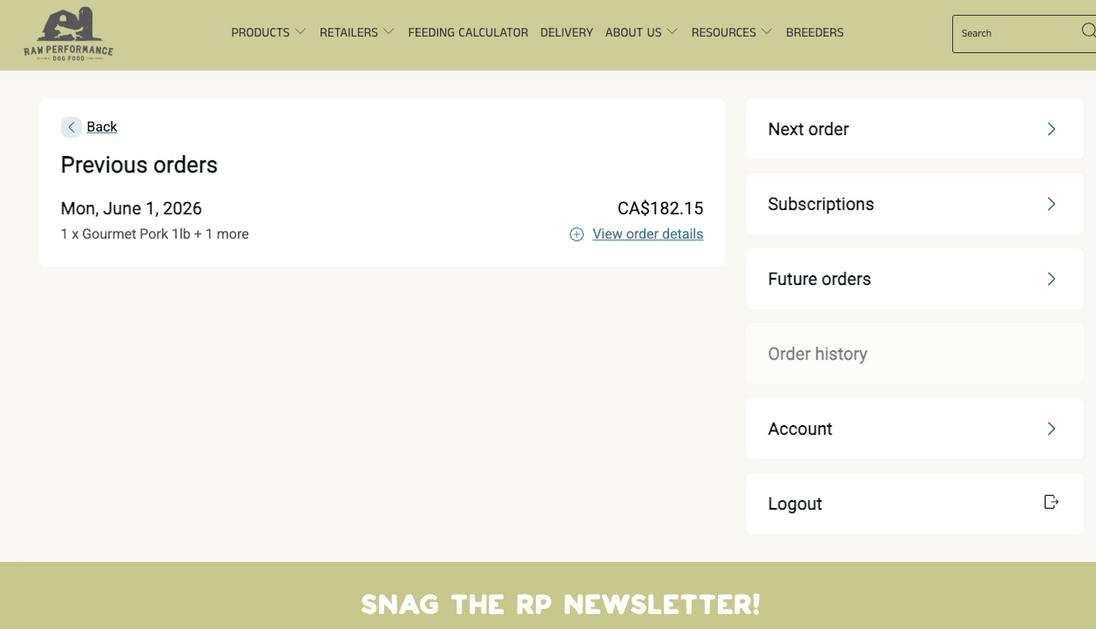
On the "Order History" tab, you will see the details of your previous subscription orders. You can view more details from a specific order by clicking "View Order Details".
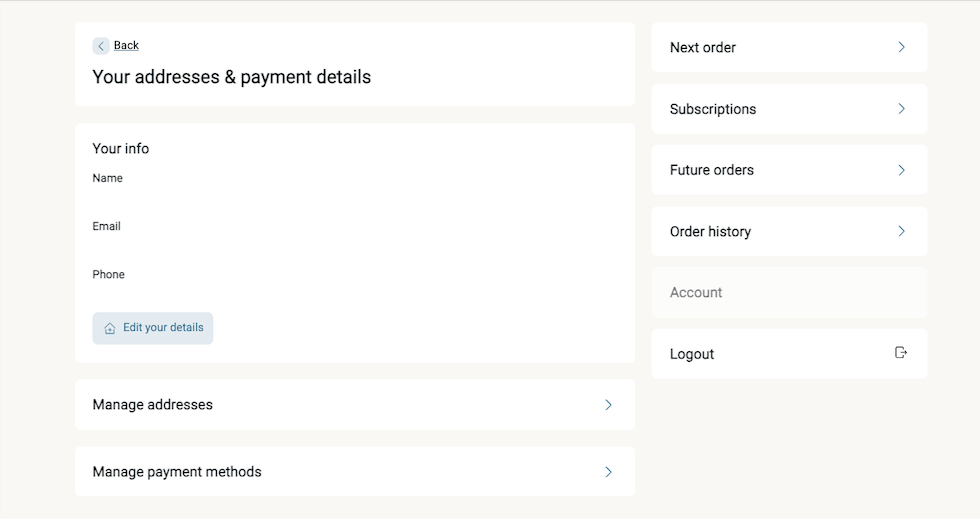
On the "Account" tab, this is where you can view and edit your name, email, phone number, change your address, and update your payment methods.